
Platform Overview
A modern web-based ticketing operations platform for CTS EVENTIM promoters and operators
A modern web-based ticketing operations platform for CTS EVENTIM promoters and operators
Eventim Vibe is a next-generation web application designed to replace legacy desktop tooling (PROMOTER, SALES) for CTS EVENTIM ticket operations. It provides promoters and box-office operators with a unified, browser-based interface to manage events, sell tickets, handle orders, and administer venue configurations — all connected to the Eventim TDL (Ticket Distribution Layer) and ET backend systems.
The platform covers the full ticketing lifecycle: event creation and configuration, pricing, seat inventory management, point-of-sale operations, order management, customer records, financial reporting, and multi-user access control.
Several backend API endpoints are not yet available but are in the works:
These features have full UI implementations ready and will activate as soon as the corresponding API access is granted.
Next.js 16, React 19, TypeScript, Tailwind CSS 4
57 API routes handling TDL, ET, Stripe, email, and admin operations
Firebase Auth with role-based access control and session management
Stripe (online + terminal/tap-to-pay), mapped to Eventim payment methods
Claude API (Anthropic) for contextual assistance and seatmap interpretation
Resend API with customisable templates, delivery tracking, and webhook confirmations
Technology stack:
Next.js 16 React 19 TypeScript Tailwind CSS 4 Firebase Stripe Anthropic Claude Resend Vercel
Users authenticate via email and password through Firebase Authentication. The login screen features the Eventim Vibe branding with a clean, minimal interface. Sessions are tracked with automatic inactivity logout and multi-device visibility in security settings.
Fig 1: Secure login with email/password authentication
The dashboard provides an at-a-glance operational summary: today's events, recently on-sale events, news feed, and key performance indicators (orders, revenue, tickets sold, active events). The global search bar and AI Assistant button are prominently accessible.
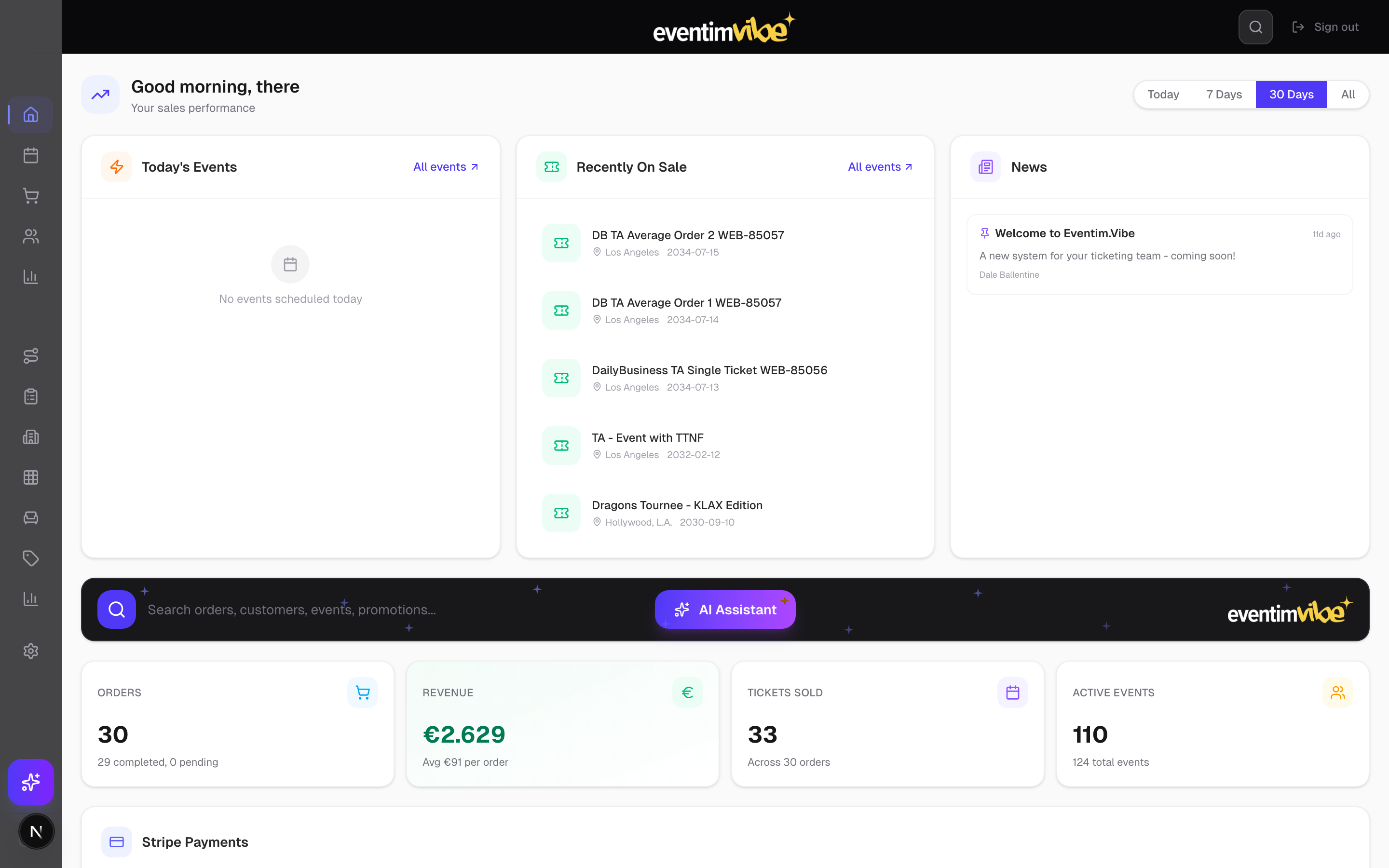
Fig 2: Dashboard with KPIs, event calendar, news feed, and Stripe payment metrics
Browse all events connected from the Eventim system. Events are displayed as cards with status badges (On sale, Not released, Ended), venue information, date/time, and available capacity. Filtering by status and category (Sports, Concerts, Theatre, etc.) is supported.
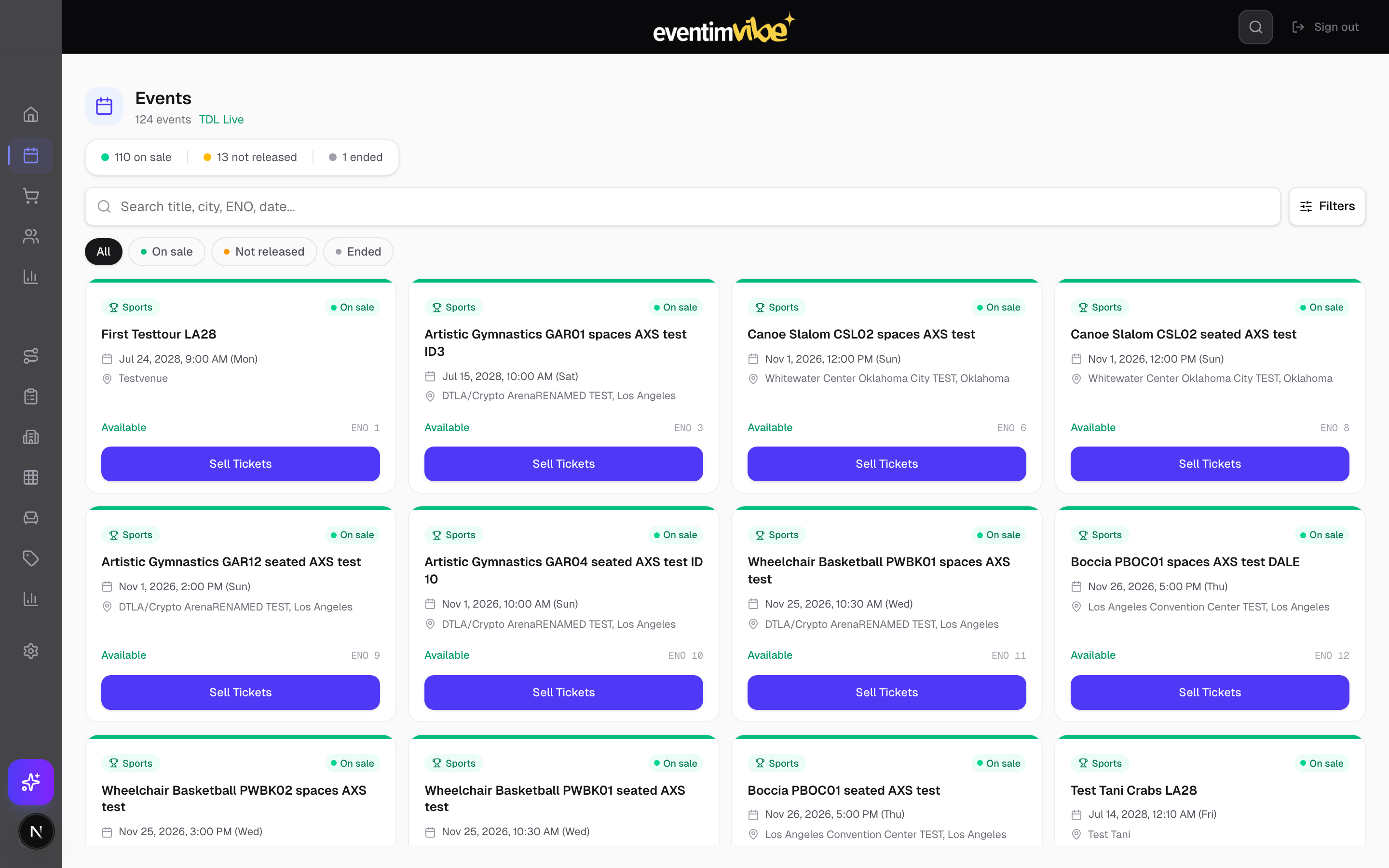
Fig 3: Event catalogue with 124 live events from the TDL — status filters, category badges, and sell-ticket actions
The Best Available view provides an algorithm-powered seat selection interface. Operators select the number of tickets and price tier, then the system recommends the optimal seats. Promo codes can be applied before adding to cart.
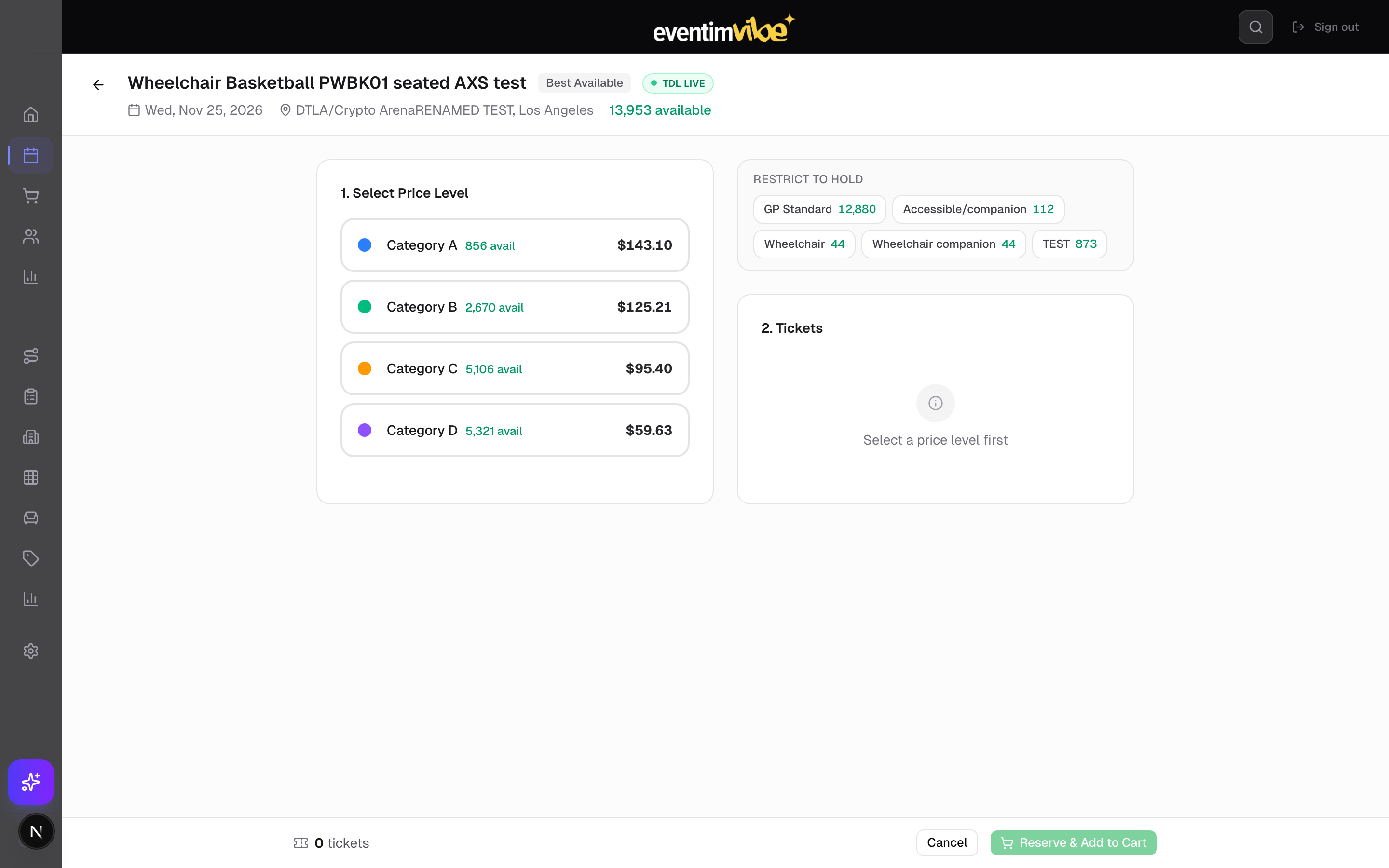
Fig 4: Best Available seat selection for Event 14 — price tier filtering and promo code support
For allocated seating events, operators can select specific seats via the embedded TDL seatmap. Seats are colour-coded by price level and availability status. Real-time inventory checks ensure no double-booking.
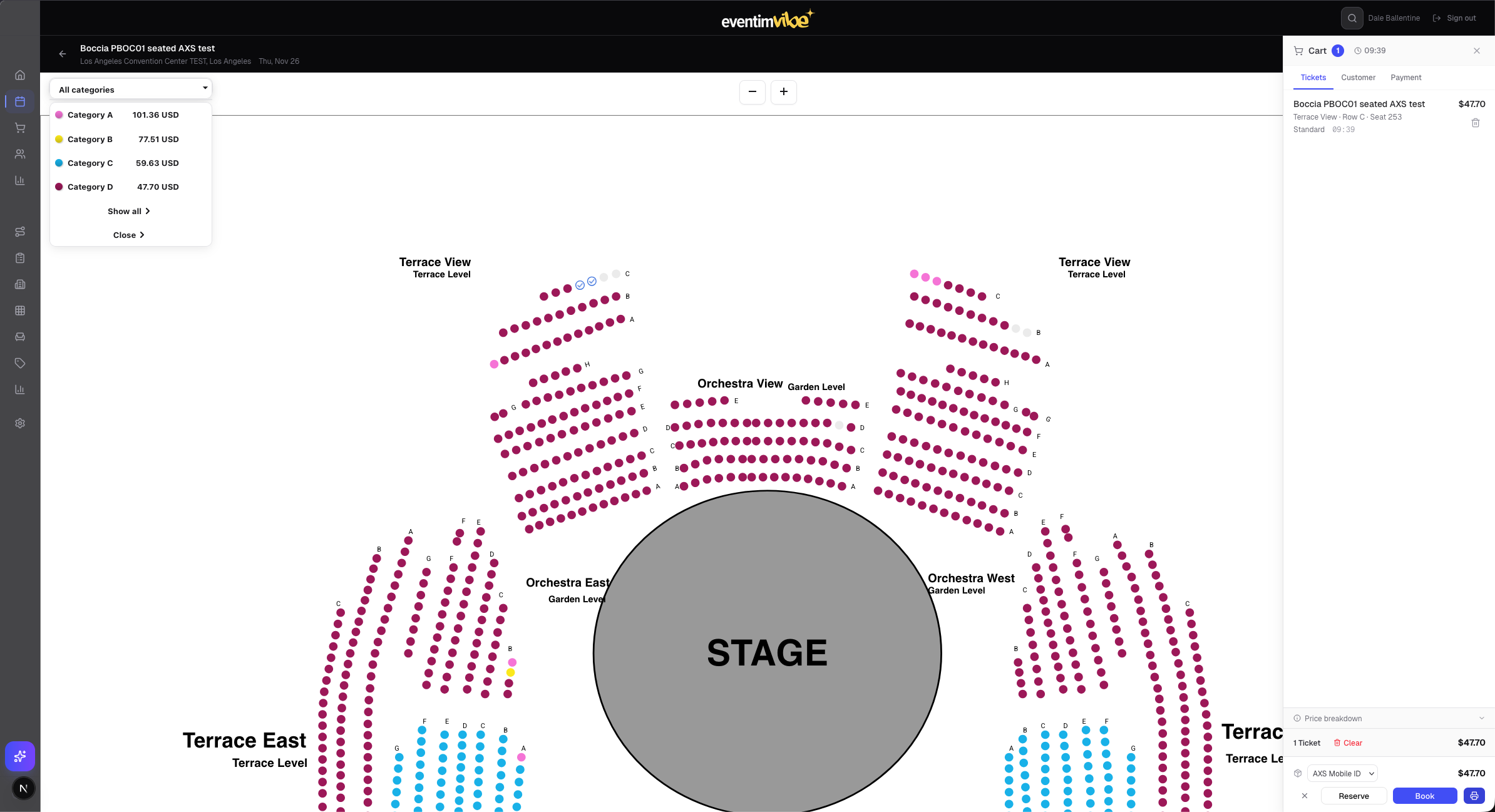
Fig 5: Interactive seatmap view with price categories, seat selection, and cart panel showing real-time reservation timer
Eventim Vibe integrates Stripe as its payment processing layer, supporting the full range of modern payment scenarios for both online and in-person ticket sales:
The payment terminal is configured in Settings and supports device registration, connection testing, and live transaction processing. During checkout, the operator selects the payment method and the system handles the Stripe payment intent lifecycle — authorisation, capture, and confirmation — with real-time status feedback in the UI.
All Stripe transactions are reconciled back to the Eventim order record, with full refund support (partial or complete) directly from the order detail page. Revenue analytics on the dashboard break down income by payment method and channel, and webhook listeners ensure the platform stays in sync even if transactions complete asynchronously.
Full order lifecycle management: creation, payment processing, ticket delivery, modifications, cancellations, and refunds. Each order shows customer details, line items, payment status, and a complete activity log.
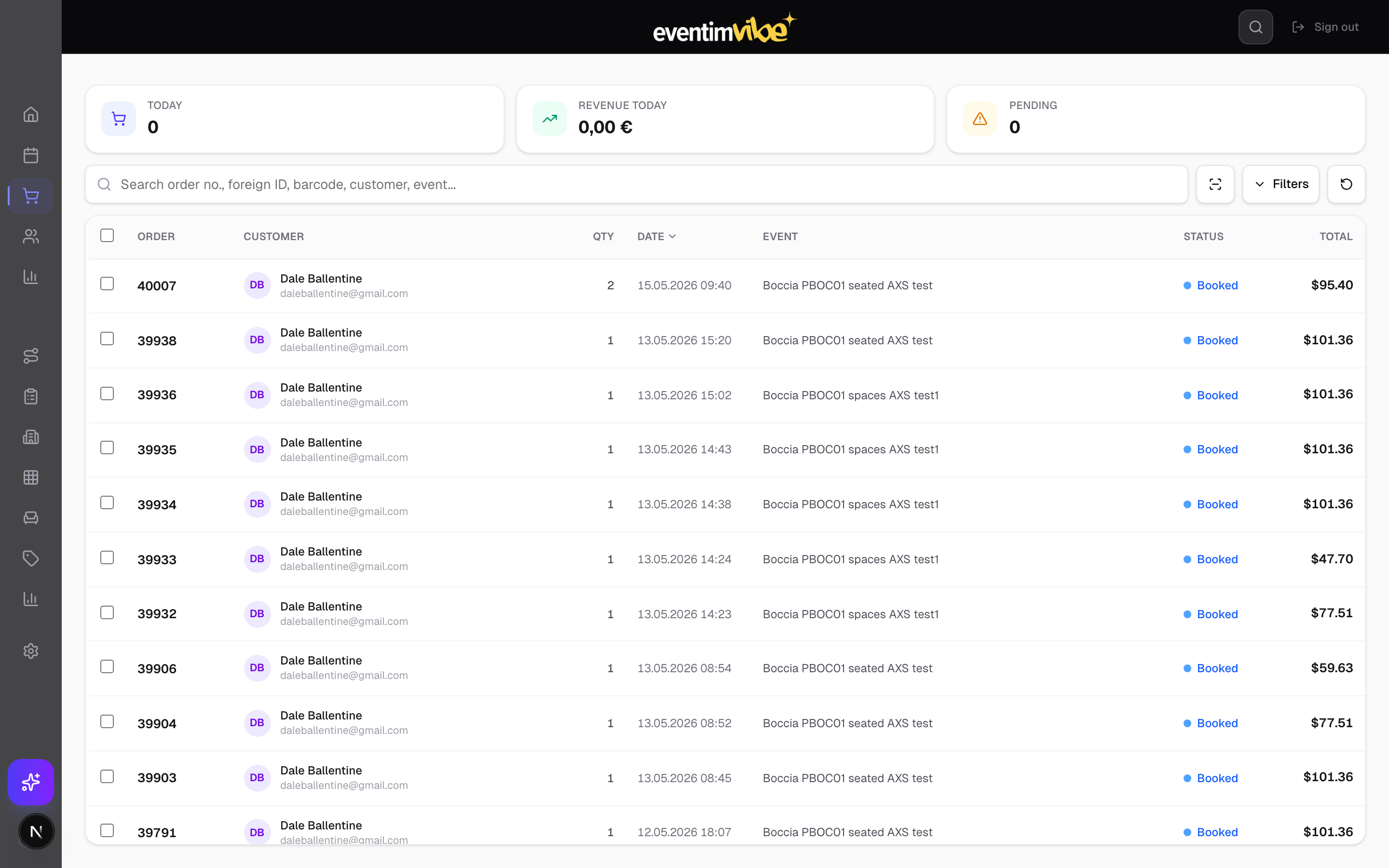
Fig 6: Order list with real-time status, customer info, event details, and financial totals
A full CRM view of all customers. Each customer record shows lifetime value metrics (total spend, tickets purchased, order count), order history, and editable personal details. Address autocomplete is available when creating new customers.
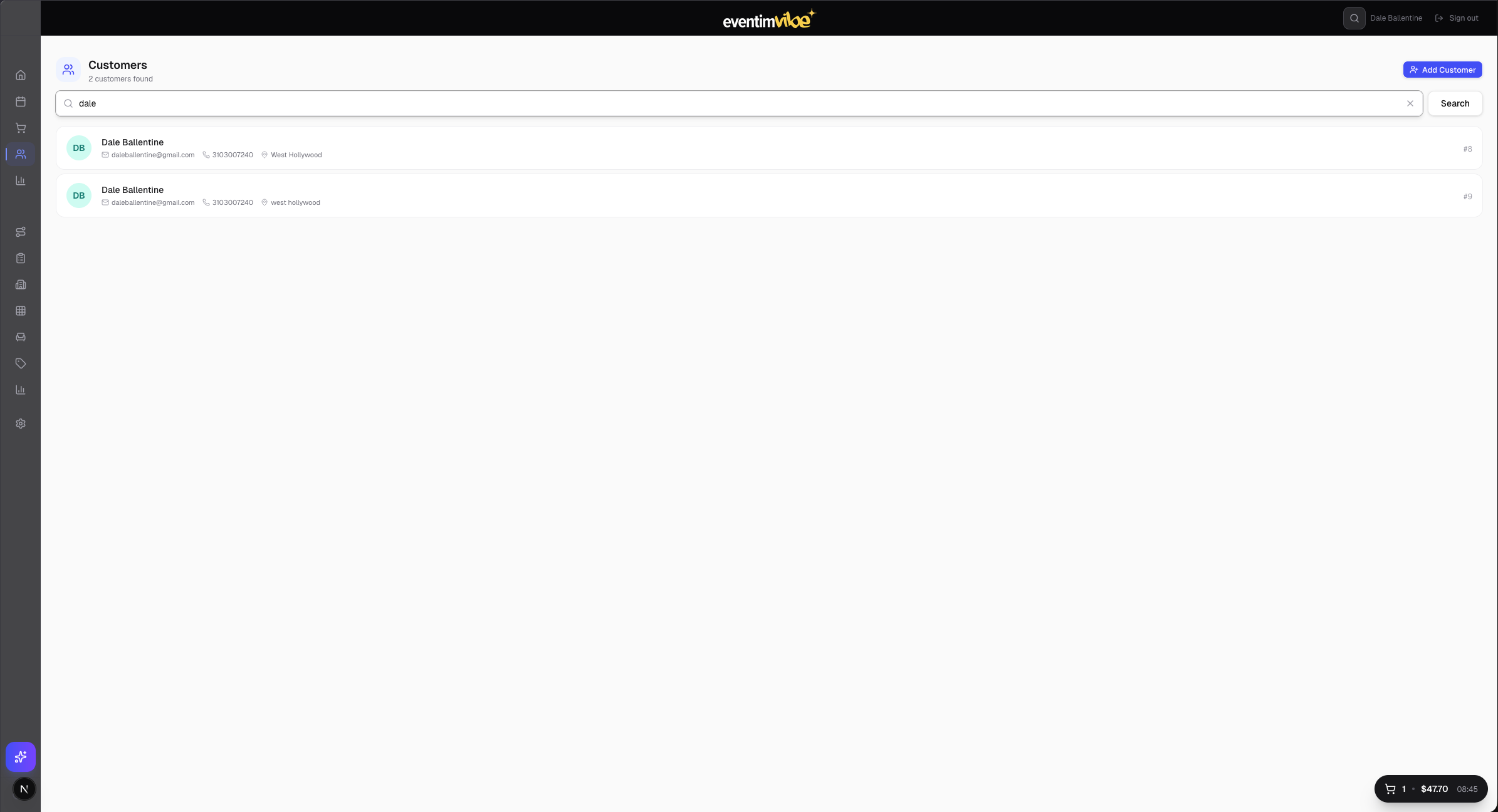
Fig 7: Customer directory with search and filtering
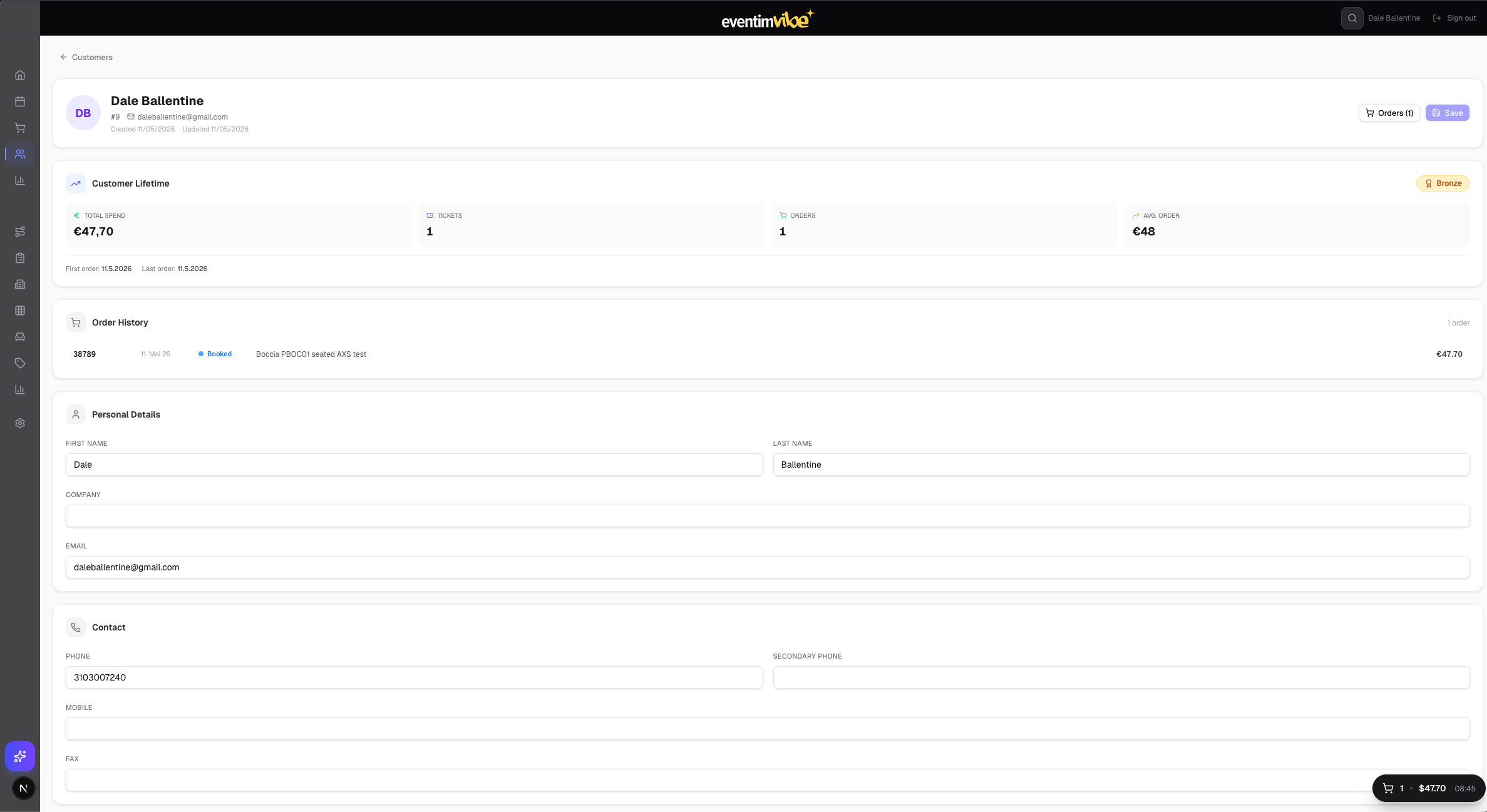
Fig 8: Customer #8 detail — lifetime metrics, order history, and personal details
Each event has a comprehensive management view with four tabs: Overview (basic info, dates, venue), Prices & Fees, Seating Chart, and Distribution. Changes sync back to the Eventim system via the ET API.
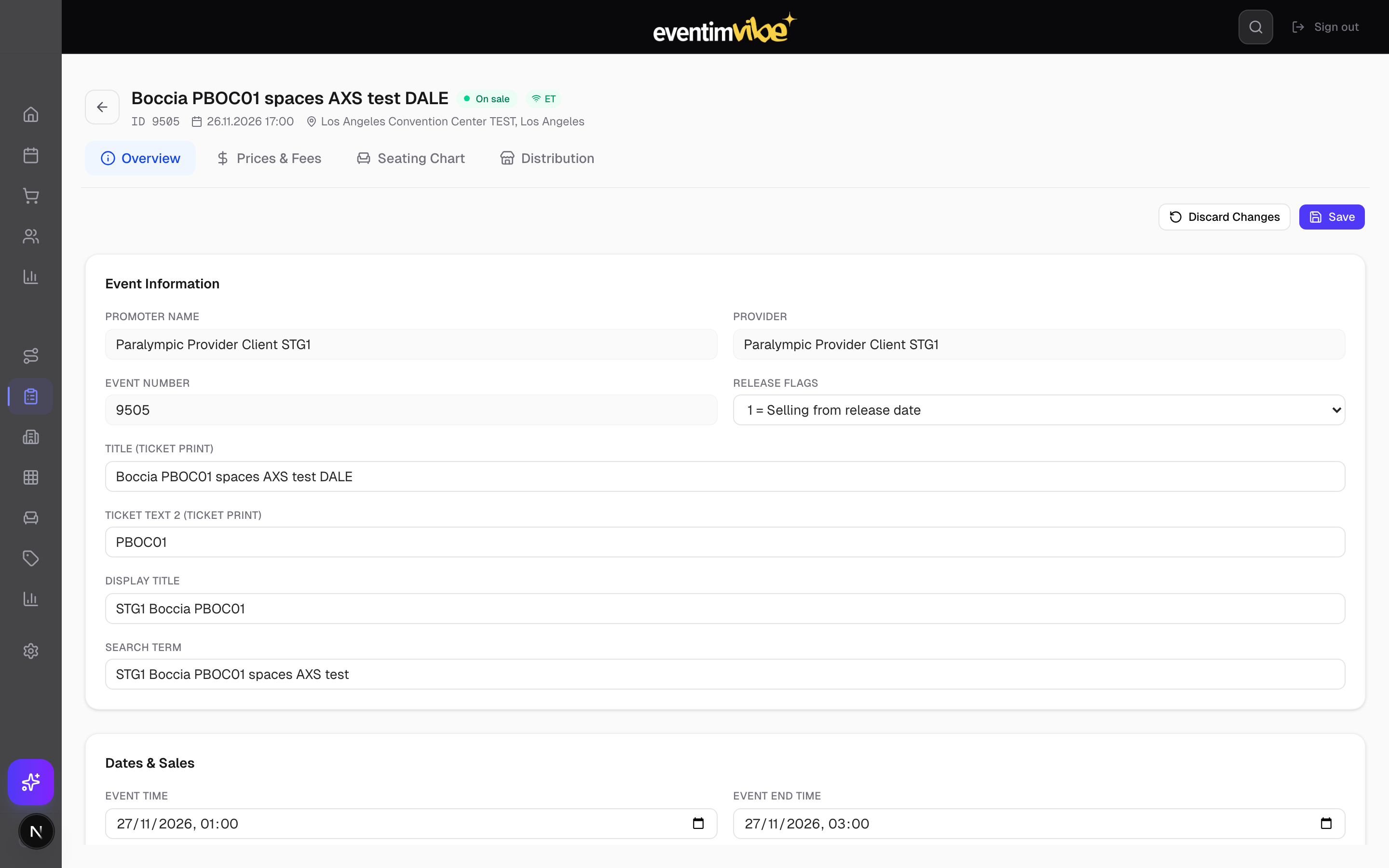
Fig 9: Event 14 (Boccia PBOCO1) — overview tab showing promoter, title, dates, venue, and release configuration
Group related events into tours for aggregated reporting and streamlined management.
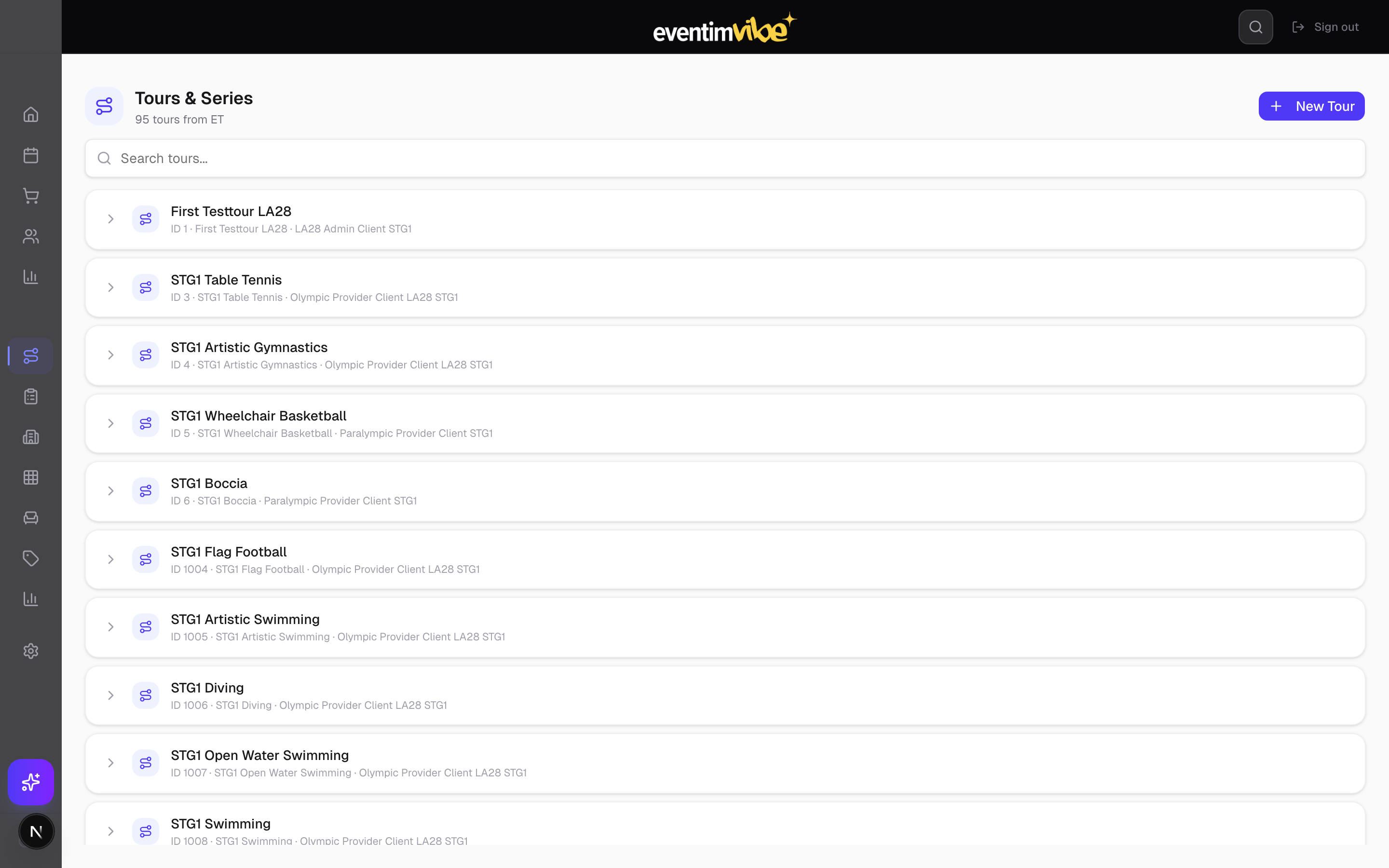
Fig 10: Tours & series management
Venue registry with address, timezone, and capacity information. Venues are linked to events and seatmap configurations.
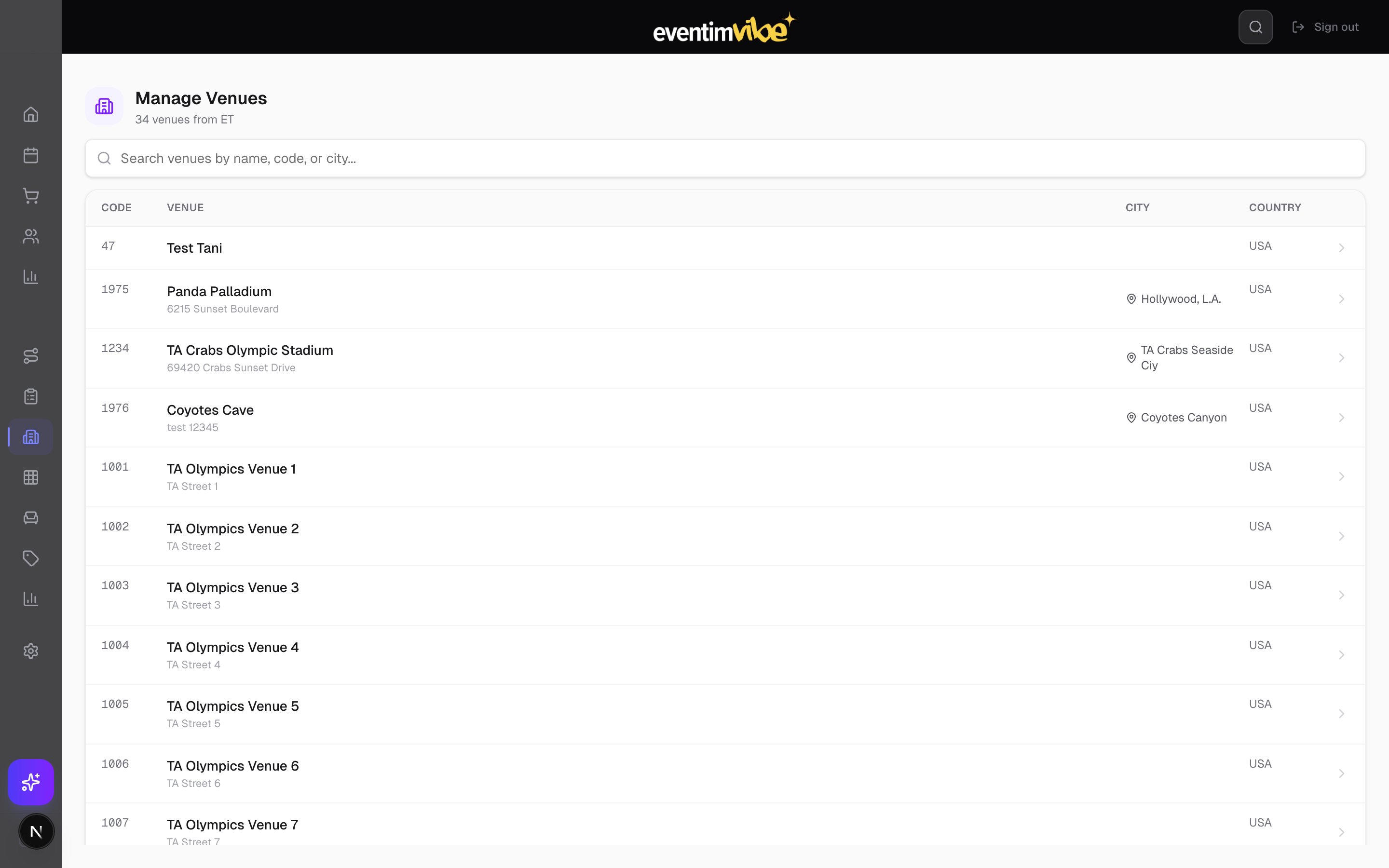
Fig 11: Venue management
Reserve blocks of seats for sponsors, promoters, or operational purposes. Holds are colour-coded and tracked against specific events with assignment visibility.
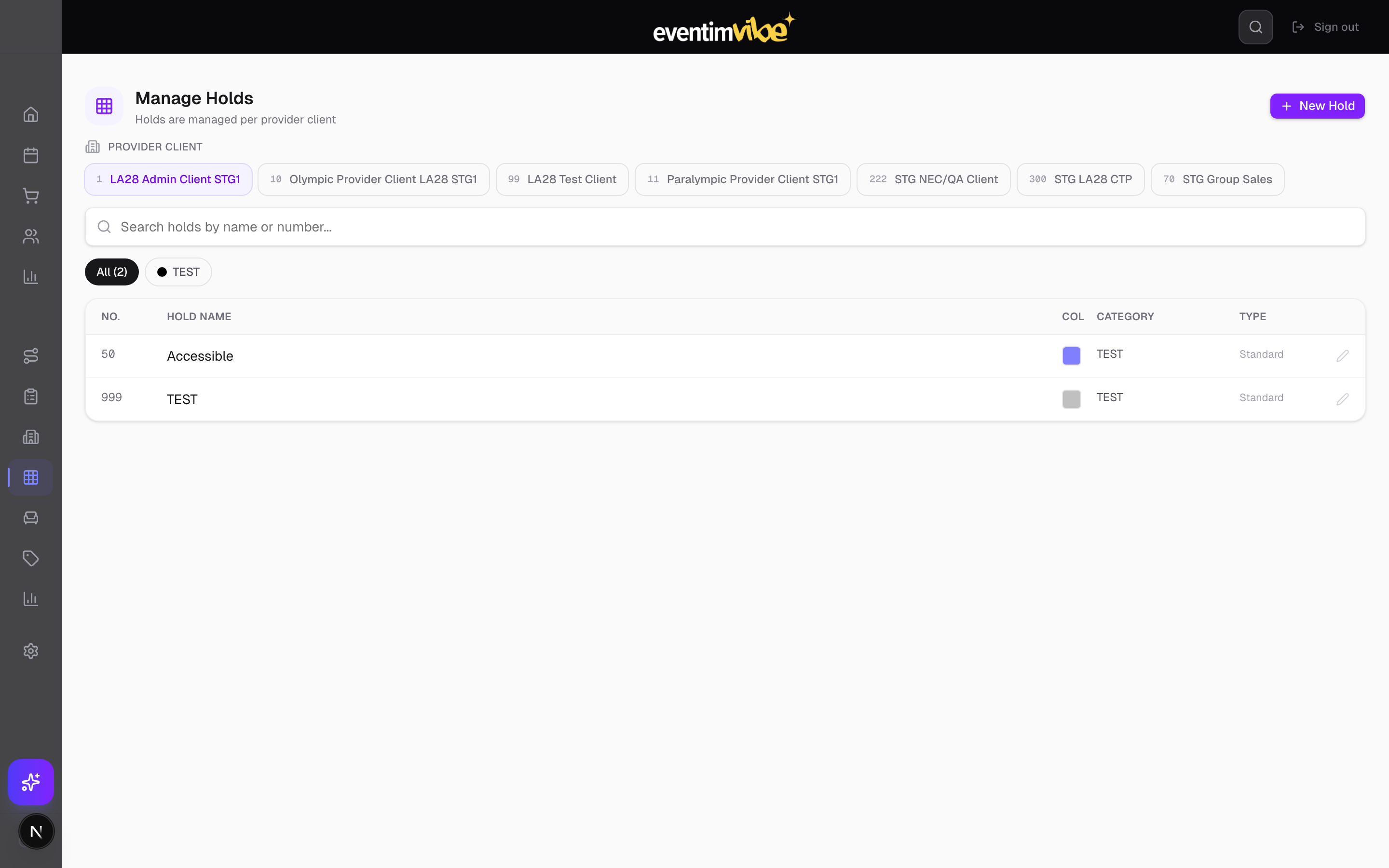
Fig 12: Inventory holds management
Create and manage promotional codes with configurable discount types, ticket-type restrictions, delivery method rules, and usage tracking.
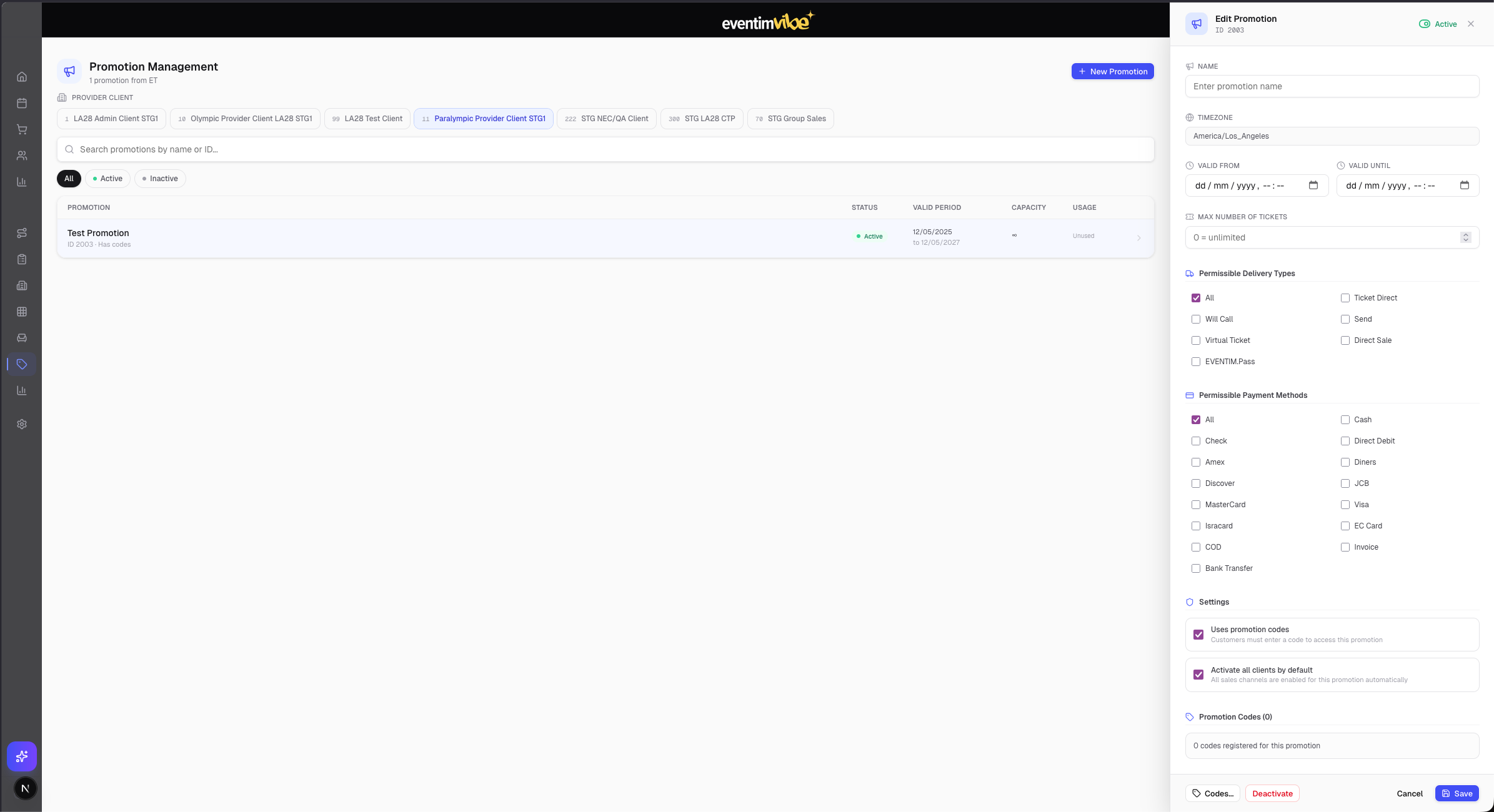
Fig 13: Promotions management with active/inactive toggle and usage tracking
A full visual seatmap editor for creating venue seating layouts from scratch or from uploaded images. Features include:
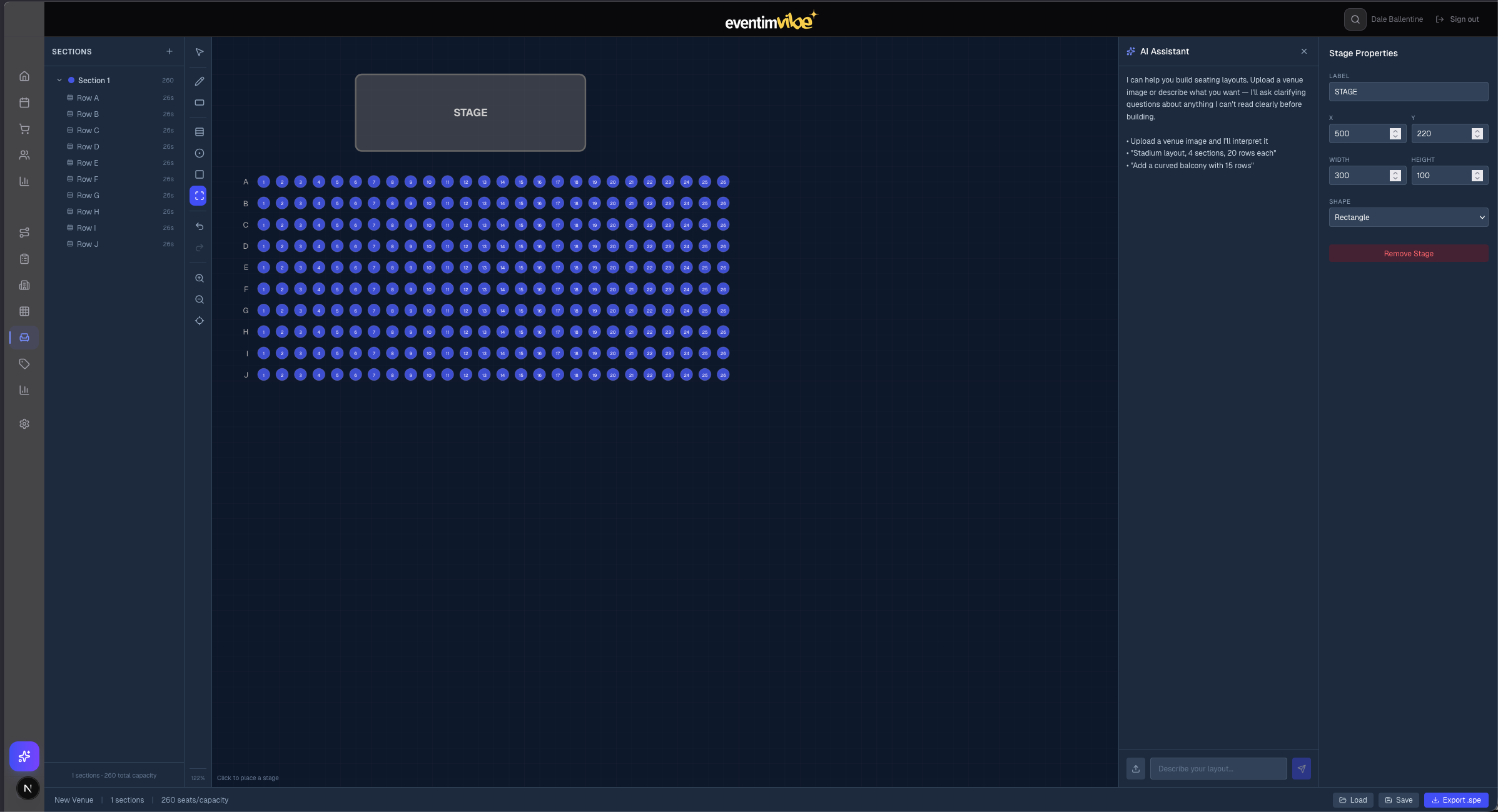
Fig 14: Seatmap Builder with toolbar, section tree, canvas, properties panel, and AI Assistant
Revenue analytics with daily charts, order counts, and ticket volumes. Filterable by event and venue. Supports CSV export for external analysis.
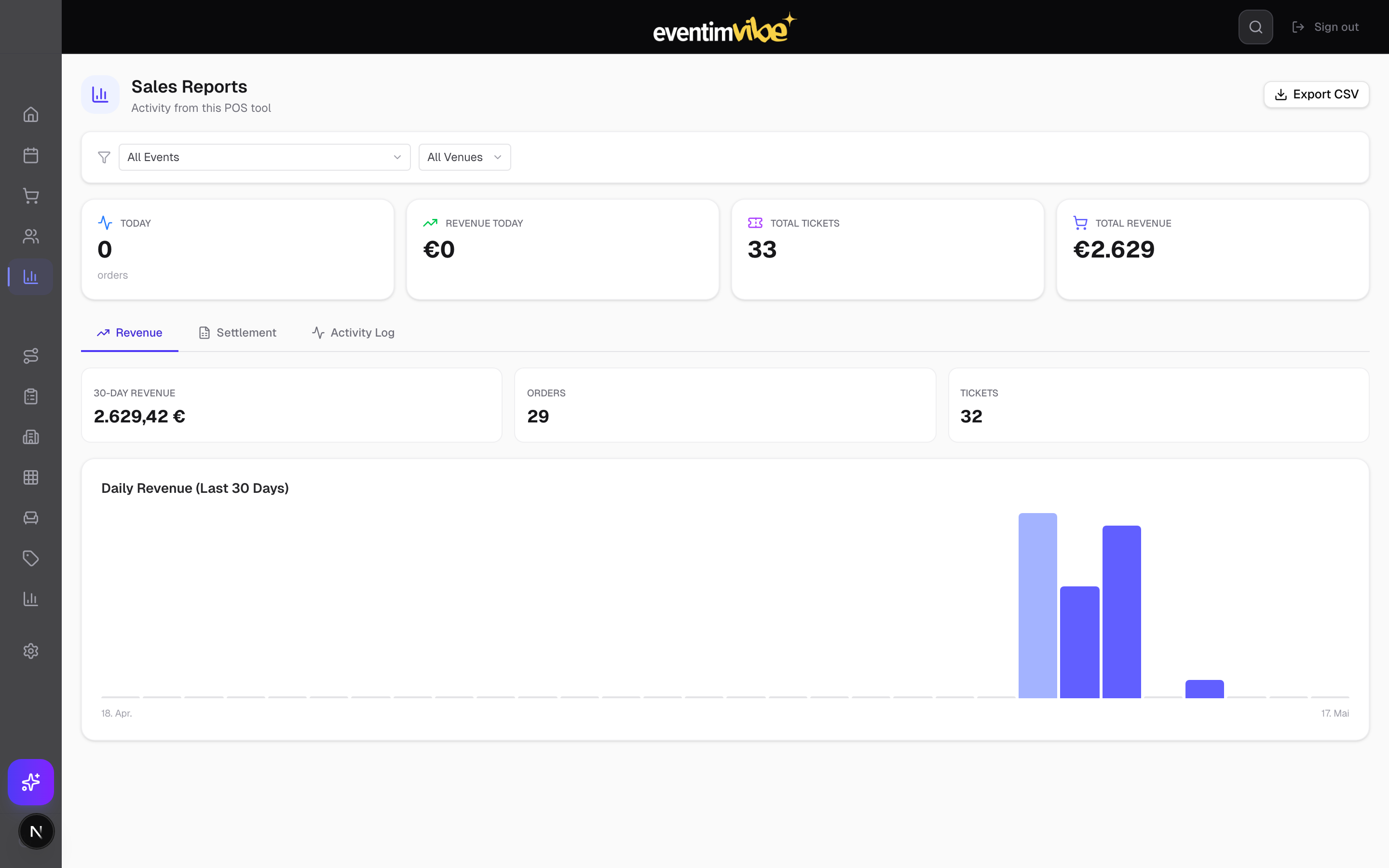
Fig 15: Sales reports — 30-day revenue chart, KPIs, and export functionality
Event-level analytics covering capacity utilisation, pricing breakdown, tour aggregation, and distribution channel performance.
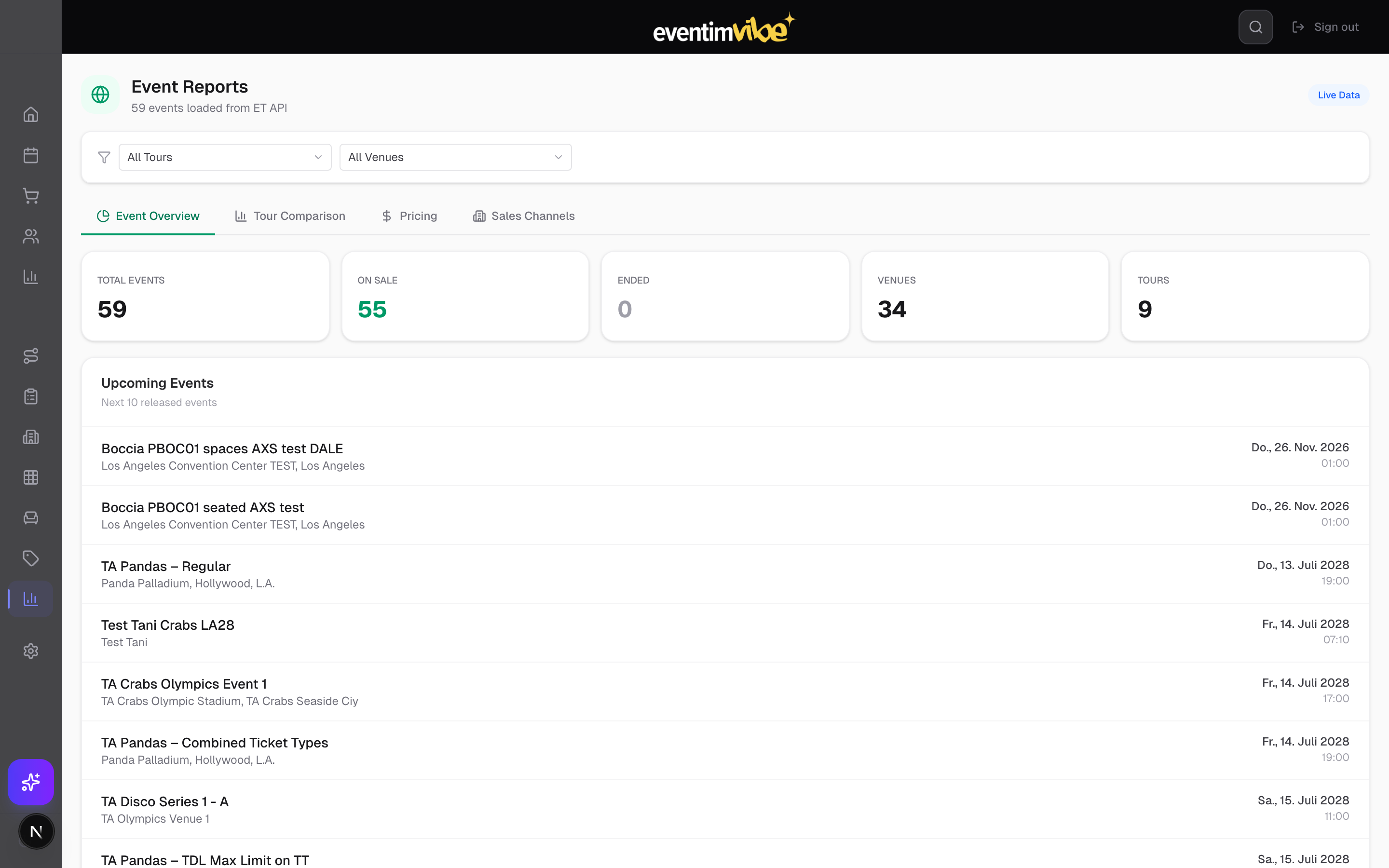
Fig 16: Event reports with capacity, pricing, tour, and channel tabs
Role-based access control with three tiers: Administrator (19 permissions), Manager (17 permissions), and Agent (5 permissions). Full user lifecycle: invite, assign roles, track activity, ban, reset passwords.
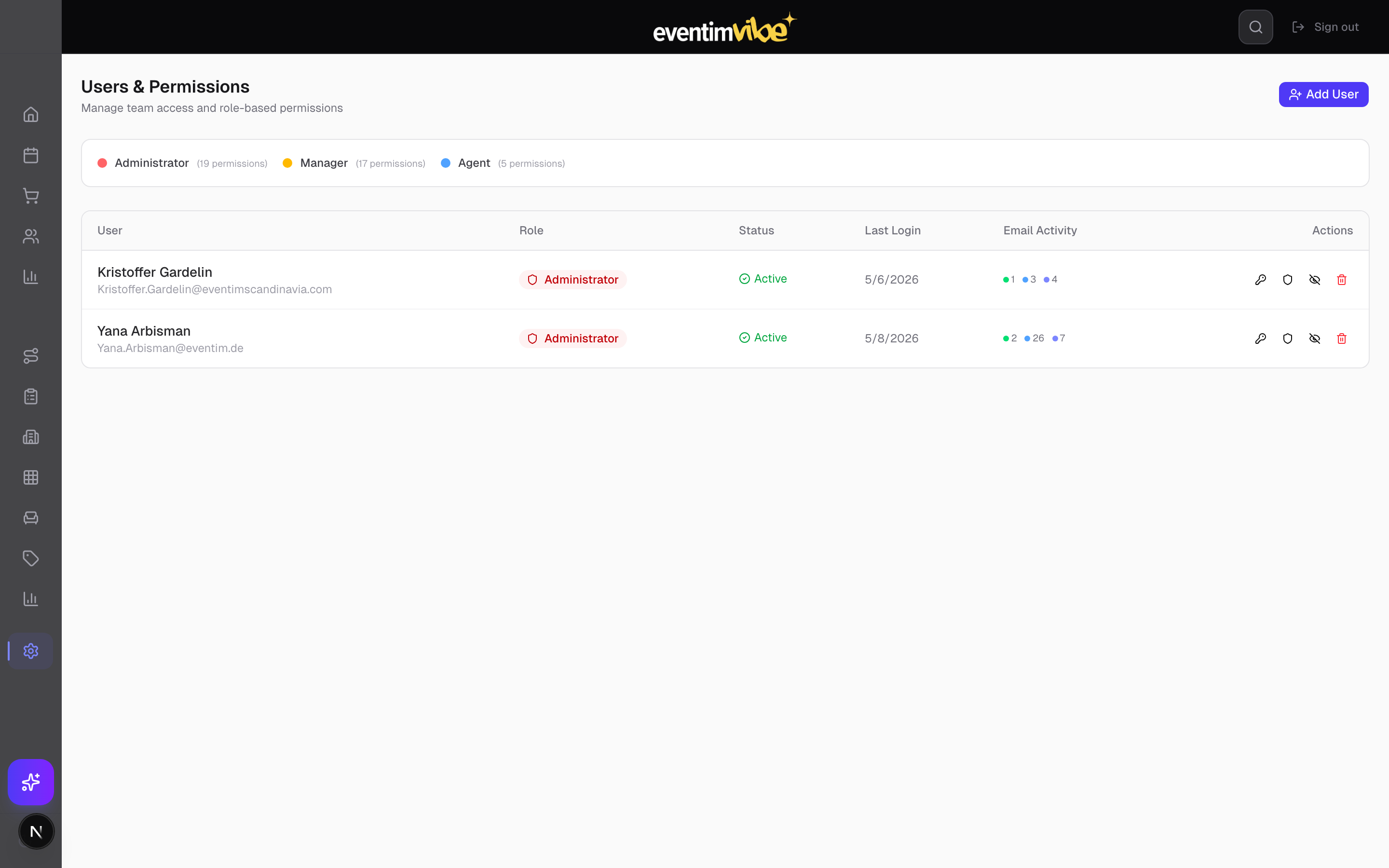
Fig 17: Users & Permissions — role management, login tracking, and email activity indicators
API key management, two-factor authentication toggle, password changes, and active session monitoring with device-level detail and remote session termination.
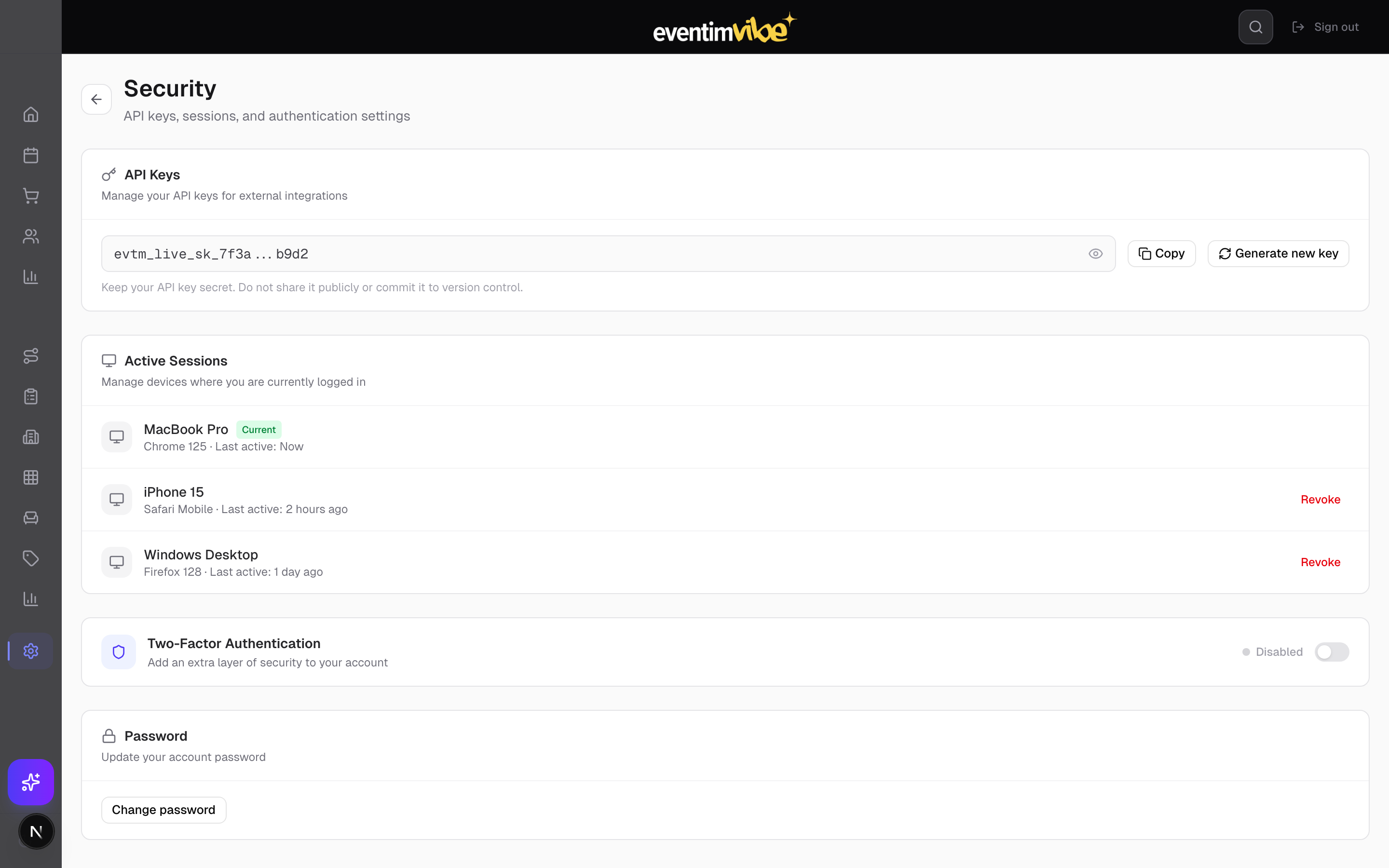
Fig 18: Security settings — API keys, 2FA, and session management
A full WYSIWYG drag-and-drop email editor for designing transactional templates (order confirmation, ticket delivery, invitations, password reset). The editor supports:
Email delivery is fully tracked across the platform. Every email sent is logged with real-time status updates: delivered, opened, clicked, bounced, or failed. Per-user email activity metrics are visible in the Users & Permissions table, and individual order records show the full email history for that transaction.
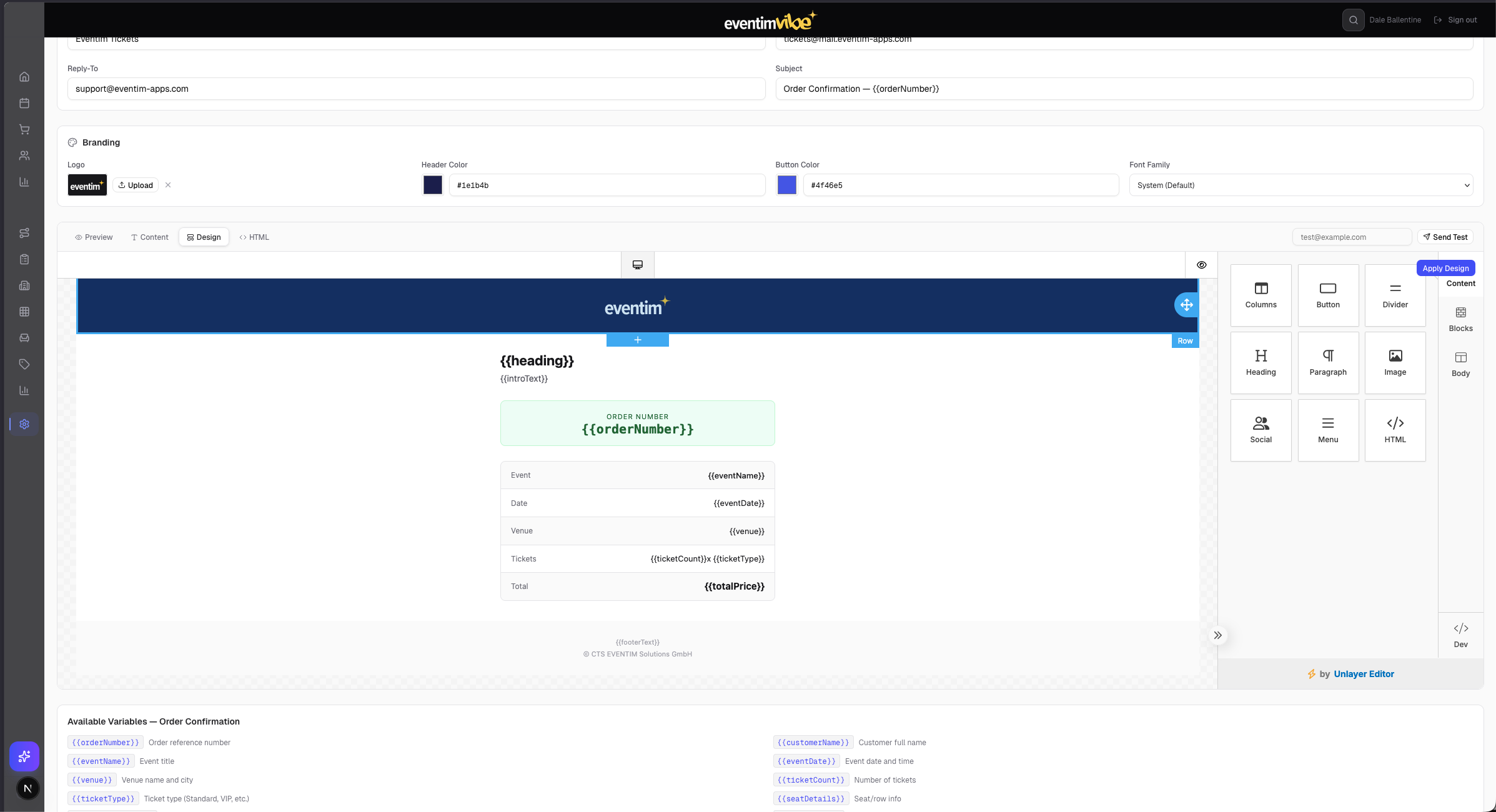
Fig 19: WYSIWYG email template editor with drag-and-drop blocks, branding controls, and template variables
Map Eventim TDL payment method IDs to display names and configure Stripe integration. Delivery method mapping for ticket fulfilment options.
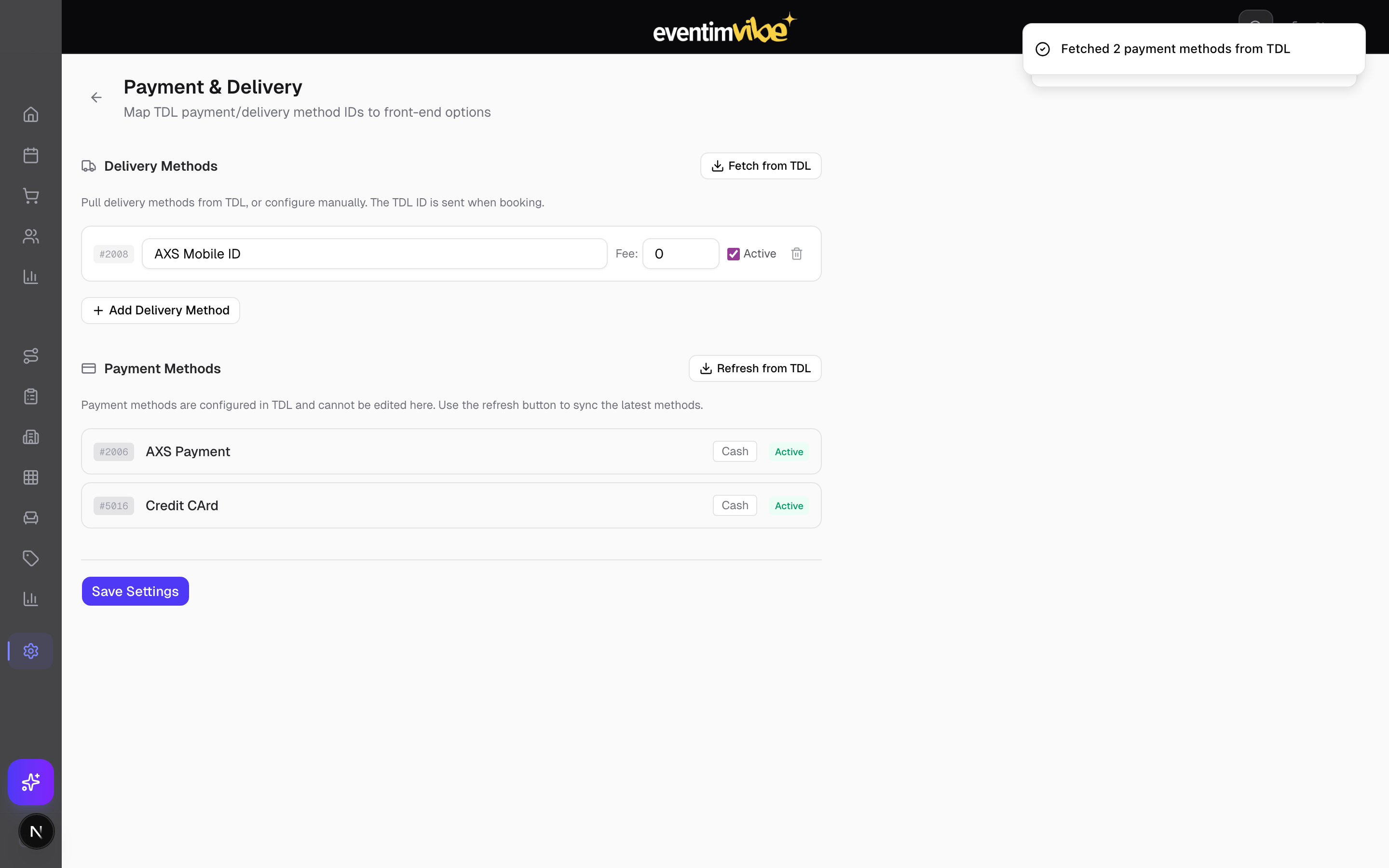
Fig 20: Payment & delivery method mapping
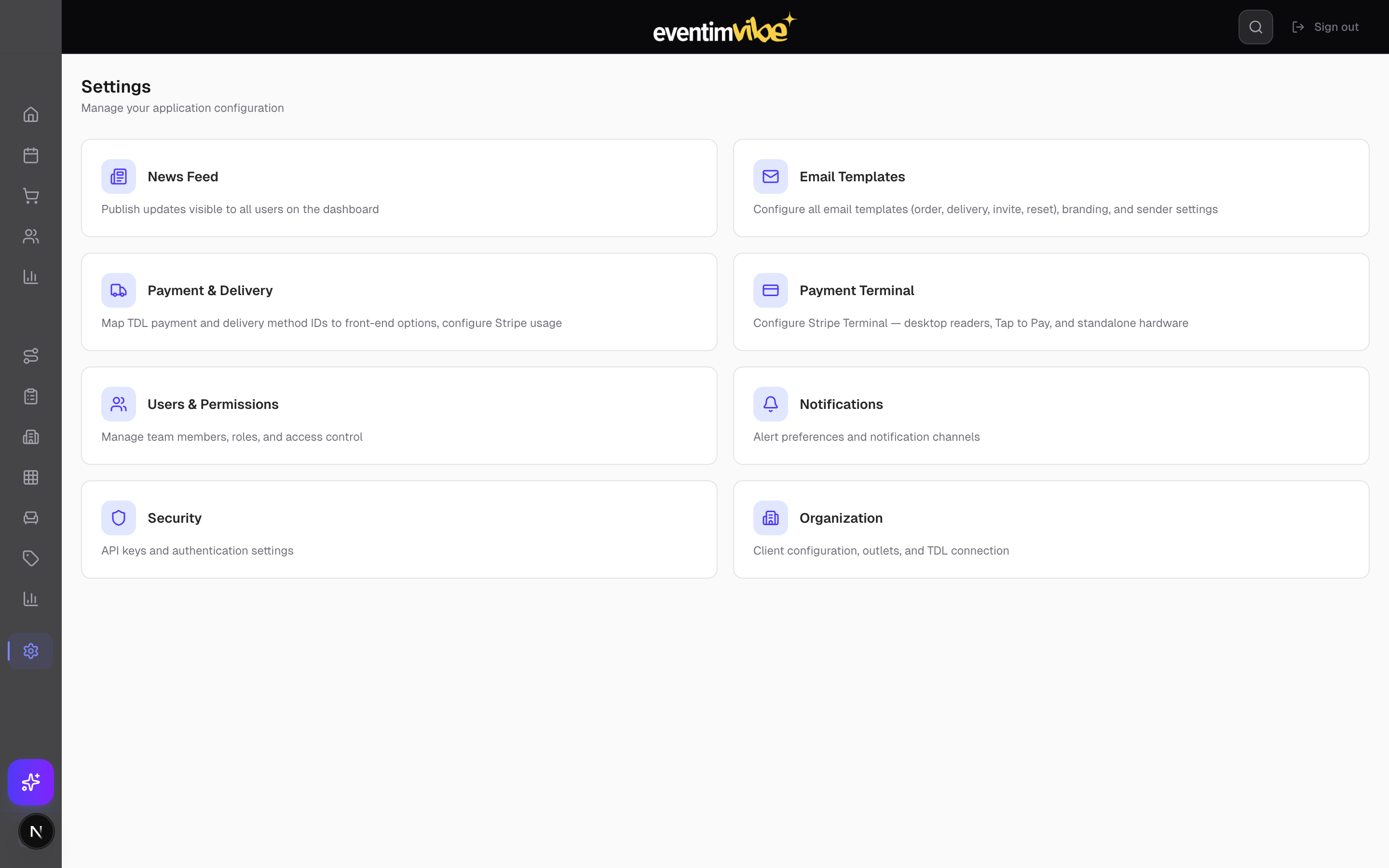
Fig 21: Settings hub — organisation, news, email, payments, terminal, security, users, notifications
Eventim Vibe includes a powerful AI assistant that can perform virtually any operation within the platform through natural language conversation. Rather than navigating menus and forms, operators can simply tell the assistant what they need — and it executes directly against live data.
The AI assistant understands the full context of the platform: events, orders, customers, pricing, holds, and promotions. Operators interact through a chat interface accessible from any page, and the assistant responds with both answers and actions.
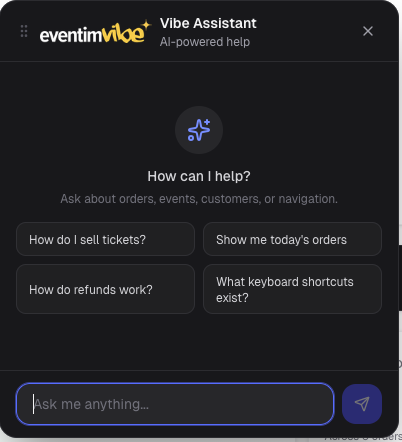
Fig 22: AI Assistant — natural language interaction for platform operations
The assistant can sell tickets, process reservations, look up orders, apply promotions, and handle refunds — all through conversation. It validates availability in real time against the TDL inventory and confirms actions before execution.
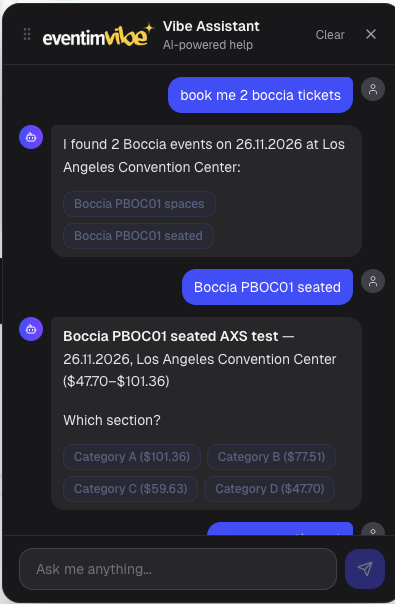
Fig 23: AI Assistant performing ticket sales and order operations via natural language
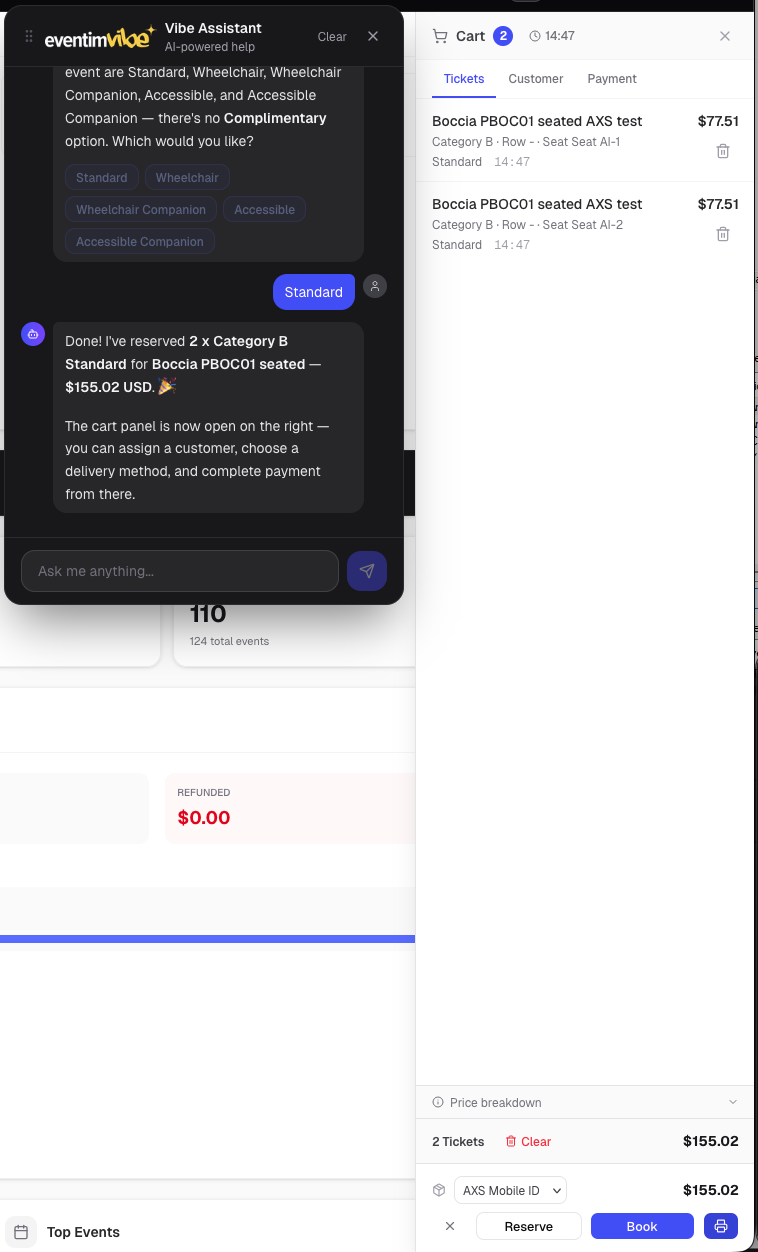
Fig 24: AI Assistant carting tickets through natural language conversation
For power users, the assistant handles bulk operations that would otherwise require repetitive manual work: updating pricing across multiple events, creating hold allocations for an entire series, adjusting capacity, managing promotions across tours, and generating reports on demand.
The assistant maintains full conversation context, so operators can chain related operations together ("sell 4 tickets for Saturday's show to the customer I just looked up, apply the VIP promo code, and email them the confirmation"). All actions are logged in the platform's audit trail.
| Feature | Description |
|---|---|
| AI Chat Assistant | Context-aware Claude AI assistant accessible from any page — answers workflow questions, explains features |
| Global Search | Unified search across orders, customers, events, and promotions |
| Keyboard Shortcuts | Power-user navigation: V (select), D (draw row), B (draw block), Ctrl+Z (undo) |
| Stripe Terminal | Card reader integration for in-person sales — desktop readers and Tap to Pay |
| Cart & Reservations | Persistent shopping cart with reservation expiry countdown and real-time seat locking |
| Edit Lock | Prevents simultaneous editing conflicts between multiple users |
| Inactivity Logout | Automatic session termination after idle period for security |
| Dark Mode | Full dark/light theme toggle |
| News Feed | Admin-published announcements visible on all user dashboards |
| CSV/Excel Import | Bulk event and data import from spreadsheets |
| System | Purpose | Protocol |
|---|---|---|
| Eventim TDL (v6.7) | Ticket inventory, orders, reservations, seatmaps, pricing | REST API via Kong/OAuth2 |
| Eventim ET Backend | Event configuration, venues, tours, holds, promotions, distribution | REST API |
| Stripe | Payment processing (online + terminal), refunds, revenue analytics | Stripe SDK + webhooks |
| Firebase | Authentication, user management, Firestore data | Firebase Admin SDK |
| Resend | Transactional email delivery and tracking | REST API + webhooks |
| Anthropic Claude | AI assistant and seatmap image interpretation | AI SDK |
Eventim Vibe is deployed on Vercel's edge network, providing global CDN distribution, automatic HTTPS, and serverless API function execution. The production instance is accessible at vibe.eventim-apps.com.
Eventim Vibe — Platform Overview Document | May 2026 | Confidential